My child's allergies details have changed
Update student food allergy details so that food suppliers are alerted to
allergies when they print off labels and reports.
NOTE: for severe or
life threatening allergies, please also contact the kitchen directly.
Allergen
alerts are provided on supplier documents; however we cannot guarantee
these are checked. Please check ingredients carefully before ordering
2. Under the Members section, choose your child that you would like to edit the allergy information for.
3. A new page will appear, click on Allergies
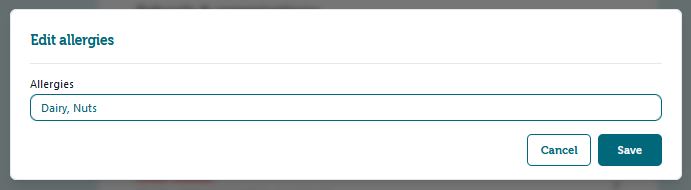
4. Add the allergy information details into the text box that comes up. Select
Save when finished. These details can be edited at any time.
Repeat the process for other members of your family whose details have changed.
Related Articles
Join Ezlunch
Joining Ezlunch is quick and easy. Powered by the Kindo app, Ezlunch lets you order hot or cold meals from local cafes and caterers - with a menu tailored to your school's requirements and delivered ready to eat. Whether you're a planner or a ...
I have another child starting school
If you have another child attending a school that offers Kindo or Ezlunch you can easily add them to your account. If you are at a school where Kindo is integrated with their Student Management system, as soon as the student is enrolled they will ...
Entering food allergy details
Add student food allergy details so that food suppliers are alerted to allergies when they print off labels and reports. NOTE: for severe or life threatening allergies, please also contact the kitchen directly. Allergen alerts are provided on ...
Complete setup in Kindo
Complete Setup on your Kindo account Kindo links to your school's Student Management System (e.g. Hero, Edge, eTAP, Kamar). If you are not linked, this could be because: you have not yet setup your Kindo account; OR you have a Kindo account already ...
My child has changed class or school.
When your child changes class, you must update their delivery details to ensure deliveries go to their new class. At the start of each year, you will be prompted to save a new room number for each member on your account. If your school has a link set ...